Monthly Archives: October 2008

ASP.Net HyperLink Control And Html Encoded Ampersand’s

I just ran into some odd behavior with the HyperLink control ASP.Net. Per the W3C, you’re supposed to HtmlEncode ampersands, using & instead of ‘&’ when building URLs in your HTML code. The reason is that the ‘&’ is assumed to be an entity reference. What’s nice is most web browsers can recover from this type of error, but if you want your site to pass validation, you need to use & instead.

So I hooked up all of our URLs to use this method, especially when we wrote out URLs in our C# classes. What I found odd was if I did this using a HyperLink control instead of an HtmlAnchor control, .NET would write the & out in the URL instead of using ‘&’. Naturally this broke our site as query string references weren’t parsed properly. The fix was to use an HtmlAnchor instead.

I’m not really sure why .NET does this or if there’s another workaround for it, but this solution worked for me. I’d be curious to know the reason behind the behavior though.

Google’s Clean Energy By 2030 Initiative

Right on the heals of my post about the wind turbine here in Worcester, MA, I just read a great article on Google’s Philanthropic Blog on what they’re working on to get our nation moving faster to renewable and cleaner energy. It’s great to see such a large company that is a household name take the initiative in helping us get to where we need to be. A lot of corporate and personal responsibility needs to be had in the near future to get us off of fossil fuels which dominate our fragile economy. For the most part, I think Google is on the right path…

Wind Turbine Goes Online in Worcester, MA

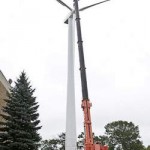
This probably isn’t that interesting to most other people in the world, but it is to me since I live in Worcster, MA and I love hearing about clean energy making progress. It’s something that just makes sense and we’d be foolish not to embrace it. Anyway, Holy Name Central Catholic Junior Senior High School did the research and actually followed through on building a 262 foot high wind turbine on their campus here in the city. You can just barely see it pop above the tree line as you drive down 290 west bound through the city. I saw it the other day and couldn’t believe what I was seeing right in my own back yard. I’d be lying if I didn’t say I was excited to see it.

What I find particularly exciting about this is that Worcester is known for its weather. We get all sorts of weather patterns coming through the city because of its central location in Massachusetts. We always seem to at least have a slight breeze all times of the year. It gets especially windy in the Spring, Fall, and Winter. So this type of renewable energy in our city makes total sense. I’d like to see more of these pop up around the city. They don’t look ugly if you ask me, and with the abundant wind resource we have here, it makes perfect sense to help power the city.

Building Ecometry Shipping Stations Redux

I wrote about building an Ecometry Shipping Station on your own over a year ago. A few people have tried building one on their own using this guide, which is great. So I decided when I was going to build two more when we integrated UPS and were given some new Dell computers as part of a UPS subsidy (which was really cool), that I should share my experience again.

Everything worked pretty straightforward like last time, save for that the new computers don’t have PS2 ports, just USB. So our older scanners no longer work with new hardware. The configuration is as follows:

  • Dell Optiplex 740 Desktop
  • Zebra S4M Direct Thermal Printer
  • Mettler Toledo PS60 Scale
  • Symbol LS2208 Barcode Scanner

I still had to change the settings on the COM1 port to work with the scale. The settings can be found in my original post here. I also had to set the scale’s protocol to Mettler Toledo, which you can easily do following the instructions that come on the CD with the scale. Thanks to Chuck on the Ecometry Google Group for that tip. You’ll also want to be sure the baud rate and stop bits settings on the scale match up with what you set on the COM port.

The Zebra S4M printer will work just fine with UPS provided labels. If you don’t have those, get direct thermal labels. You don’t need a ribbon (and the printer isn’t configured for one from UPS anyway). Ecometry will tell you that all that works is the Z4M printers, but the S4M printer will work just fine. This is great because it costs about half as much as a Z4M.

And remember, there are no PS2 ports on these newer computer so there’s no support for older scanners, such as the PSC Powerscan PSSR-0000 or PSSR-1000. These just aren’t compatible with USB. You could perhaps get this to work with a PCI add in card such as this one and some AT to PS2 converters, but I didn’t want to spend a bunch of extra money to just hack the thing together. It seemed to be a better idea to just get all new hardware for these.

We’ve been using these new stations for a few days now and they’re working great. Feel free to drop me a line about building these. You can definitely save yourself a bunch of money building these on your own instead of going through Ecometry’s provider, Agilysys.


Using DropBox For Mac OS X

I recently was able to get in on the limited Beta Release (which is now in public beta) of Evenflow Inc.’s Dropbox application for Mac OS X. Dropbox is a secure file storage application for Mac OS X created by 3 students from MIT. I’ve been using this cool app for about 4-5 months now and I have to say I absolutely love it. Its very intuitive. Its always available. And its fast!

I can get to my shared files via a web browser or the Finder integration for OS X, which is awesome because if I don’t have my MacBook with me (which isn’t often), I can get to a file I need access to. This is great for documents I don’t want to store in Google Docs. I’d say the Finder integration is pretty solid. One thing I’m a little disappointed about is that the default action when dragging files from Dropbox to my MacBook is a Move, not a Copy. There aren’t many instances where I’d want to permanently move a file from Dropbox to my local disk.

Since the limited beta release, it appears they’ve added a new tier of access above the free 2GB storage limit. Now, for $99.99 a year or $9.99 a month, you can have 50GB of storage. I’m not sure I’ll jump on that yet as I don’t use the 2GB I have now, but it could be an interesting backup solution, especially if they can get some integration where you can automatically backup your files either through Dropbox, or perhaps even Time Machine.

All in all I’d say this is an awesome application. No more need to FTP stuff around or email documents and files. You can just fire it up to your Dropbox and share with friends! I’m really looking forward to where these guys can take this app in the future. I’m sure we’ll see great things.